
ERPNext Accounting
Keep the books in the same system as sales, buying and stock. Every invoice, payment and stock movement posts to the general ledger as it happens, so the accounts are always up to date.
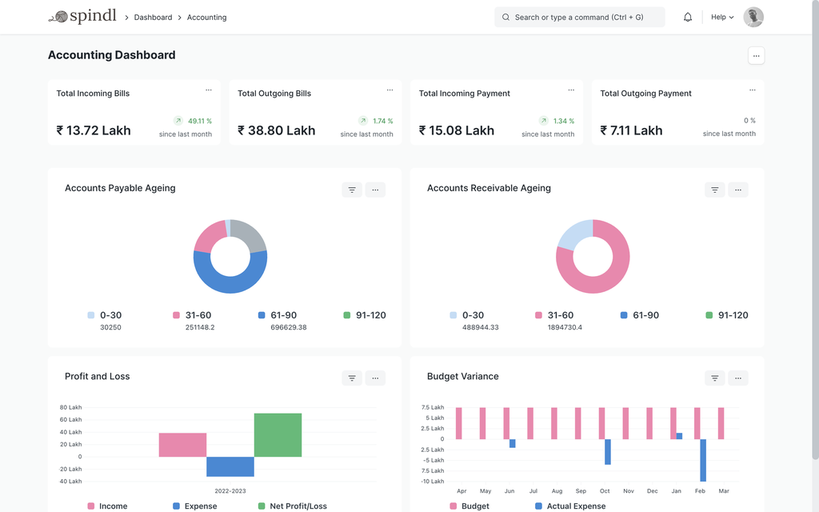
DocumentsSales Invoice · Purchase Invoice · Payment Entry · Journal Entry
ReportsGeneral Ledger · Trial Balance · Balance Sheet · Profit and Loss · Receivables and payables ageing
Works withSelling · Buying · Stock · Projects · Assets · Payroll
Inside ERPNext Accounting
Chart of accounts and companies
A chart of accounts per company, with several companies in one system and consolidated statements.
Invoices and payments
Sales and purchase invoices, credit and debit notes, payment entries and payment reconciliation.
Banking
Bank accounts, statement import and bank reconciliation against the payments recorded in ERPNext.
Taxes
Tax templates on sales and purchases, with country apps (such as India Compliance for GST) adding local rules.
Multi-currency
Invoices and payments in foreign currencies, with exchange rates and revaluation of open balances.
Cost centers and dimensions
Cost centers, budgets and accounting dimensions, such as branch or project, on every entry.
Recurring billing
Subscriptions and Auto Repeat for invoices that repeat every month or year.
Closing the books
Period closing vouchers and financial statements for any period, from the same ledger.
How the documents flow
Each step is a document in ERPNext, linked to the one before it, so you can follow any transaction from start to finish.
Sales Invoice
Records what a customer owes and posts revenue and tax.Payment Entry
Records the payment received and clears the invoice.Bank reconciliation
Matches payments in ERPNext with the bank statement.Financial statements
Balance sheet, profit and loss and cash flow come straight from the ledger.
Common problems it solves
Month-end is a reconciliation exercise
When invoices, payments and stock live in different places, closing the month means matching them by hand. In ERPNext they post to one ledger as they happen.
Receivables are hard to see
Ageing reports and customer statements show what is owed, by whom and for how long.
Reports don’t agree
Every report reads the same ledger, so sales, stock and finance see the same numbers.
Configure, customize, integrate, automate
Standard ERPNext first; custom work only where it earns its place.
Configure
Chart of accounts, taxes, cost centers, payment terms and fiscal years.
Customize
Accounting dimensions, invoice print formats, approval workflows on payments and custom financial reports.
Integrate
Banks, payment gateways and tax portals, so statements and payments don’t have to be keyed in.
Automate
Recurring invoices, payment reminders and statements of account emailed on a schedule.
Want your books and your business in one system?
Tell us how your accounts work today. We’ll show what ERPNext handles as standard and what would need to be configured or customized.