
Customize ERPNext to fit how you work
Often the gap between ERPNext and your process is small: a field, an approval, a print format or a report. We make those changes with ERPNext’s own tools, keep every change in a versioned app, and don’t write code where configuration will do.
ConfigureSettings, masters and roles. No code.
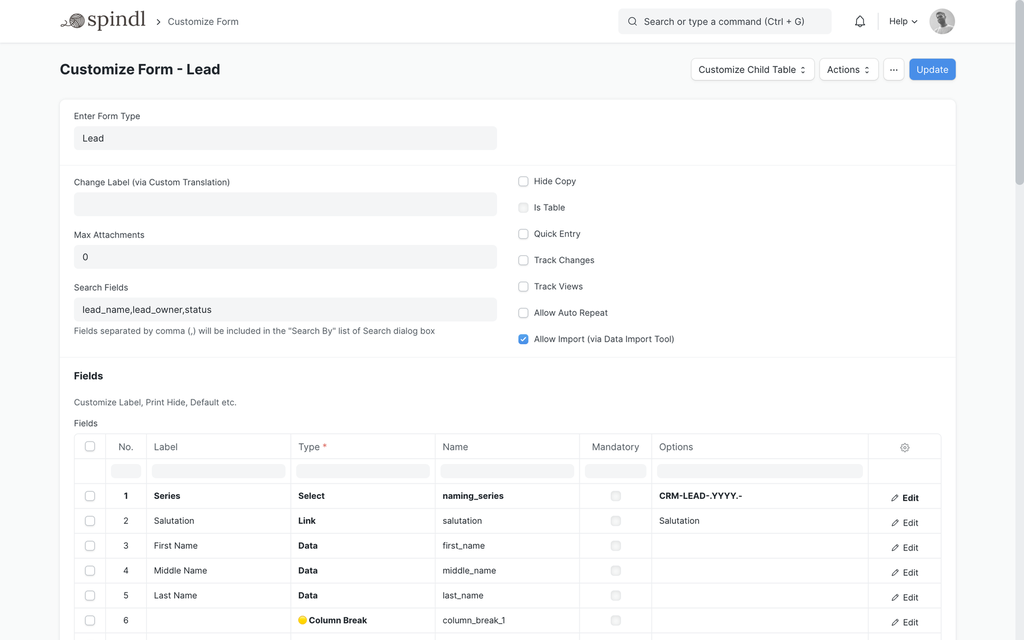
CustomizeFields, forms, workflows, print formats, scripts and reports
BuildNew DocTypes and applications
Configuration, customization and custom development
Configuration uses ERPNext as designed: the company, chart of accounts, taxes, naming series, warehouses, roles and settings. Nothing new is added, so there is nothing extra to maintain.
Customization adds to or changes ERPNext’s existing documents: new fields, a different form layout, an approval workflow, a print format, a validation or a report. It is done with ERPNext’s customization tools, not by editing ERPNext’s code.
Custom development starts where a process needs its own records, screens or logic. That is a separate Frappe app with its own DocTypes.
The parts of ERPNext that can be shaped around you
Each of these is standard Frappe functionality, used deliberately and kept in version control.
Fields
Custom fields
Capture information ERPNext doesn’t ask for, on the documents where it belongs, with the right type, defaults and validation.
Forms
Form layout and UI changes
Hide what a team never uses, reorder sections, make fields mandatory or read-only, and add help text where people get stuck.
Workflows
Approvals
Approval states on quotations, orders, expenses or any other document, with who can act at each step.
Print formats
Documents your customers see
Invoices, quotations, delivery notes and labels laid out the way your customers and auditors expect.
Scripts
Business rules
Client scripts that guide people on a form, and server-side rules that validate and calculate when a document is saved or submitted.
Permissions
Who can do what
Roles, document and field permissions, and user permissions that limit people to their own company, branch or warehouse.
Reports
Answers from your data
Report Builder views, and query or script reports with the columns and filters a question needs.
Dashboards
Figures at a glance
Workspaces with number cards, charts and shortcuts for the figures a team checks every day.
DocTypes
When a new record is needed
A process that needs its own records is custom development: new DocTypes in a separate app.
Customization fits when the process fits ERPNext
Customization fits when the process fits ERPNext
When it isn’t
- The process follows ERPNext’s documents but needs extra information
- Approvals or rules differ from the default
- Documents must look a particular way
- People need a simpler view of a long form
- The process has no equivalent document in ERPNext
- The change would fight ERPNext’s standard flow instead of extending it
- Scripts are piling up on one document and the logic is hard to follow
Customizations you can review, move and restore
- Made with ERPNext’s customization tools, never by editing ERPNext’s own code
- Exported to a versioned app, so they can be reviewed, released through staging and restored
- Scripts kept small; larger logic moves into proper app code with tests
- Tested against the documents they touch before they reach production
Common questions
Will customizations survive ERPNext updates?
Customizations made with ERPNext’s tools and kept in a separate app are not overwritten by updates. Major upgrades can change the documents they build on, so we check them after each upgrade.
What is the difference between a client script and a server script?
A client script runs in the browser on a form, for example to fill or hide a field. Server-side logic runs when a document is saved or submitted, so it applies however the document was created. We keep server-side rules in versioned app code.
Can you change customizations someone else made?
Yes. We start by reviewing what is customized today and why, then change or consolidate it so there is one clear version of each rule.
Is ERPNext almost right for you?
Tell us where it doesn’t fit. We’ll tell you whether it’s a setting, a customization, or something to build.