
ERPNext that fits the way your business really works
We set up ERPNext, move your data across, train your team and stay with you after go-live. When standard ERPNext isn’t enough, we customize it or build what’s missing.
Team4 consultants, 40 yrs combined
ERPNextCertified, since 2024
ClientsManufacturing & trading SMEs
Everything an ERPNext project needs, start to finish
Most of our work is getting standard ERPNext running well and keeping it that way. Customization and custom apps come in only where they earn their place.
Getting startedBefore go-live
ERPNext implementationSet up around how your business worksData migrationMasters, balances and open documents moved acrossTrainingYour team trained on its own processesOne system for the whole business
ERPNext’s modules share one database, so a sales order, the stock it moves and the accounting it creates stay connected.
Accounting
Ledgers, invoices, payments and statements
CRM
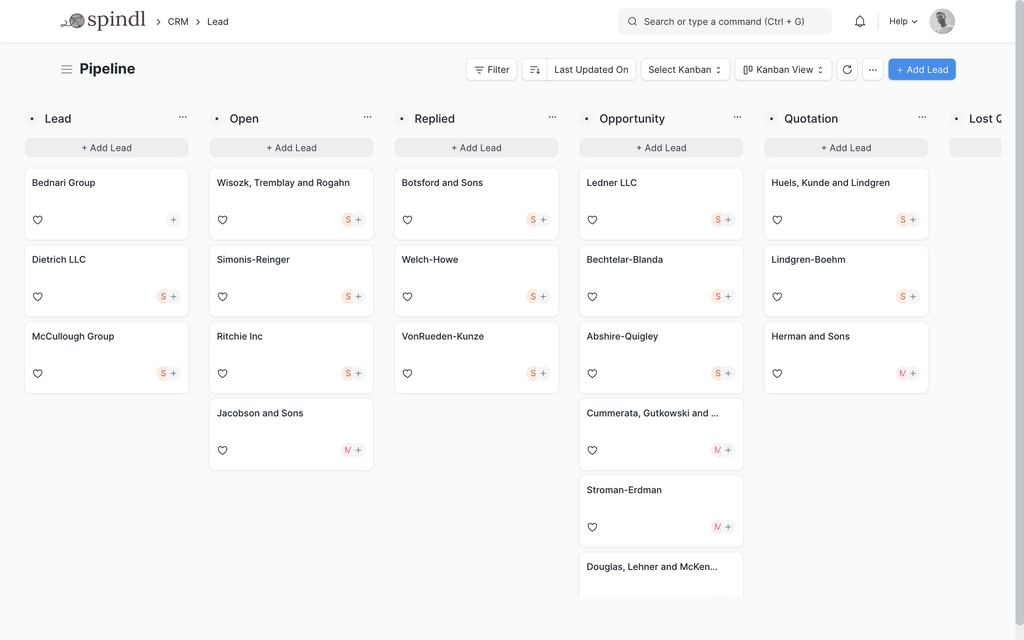
Leads and opportunities through to quotation
Selling and buying
Quotations, orders, deliveries and purchases
Stock
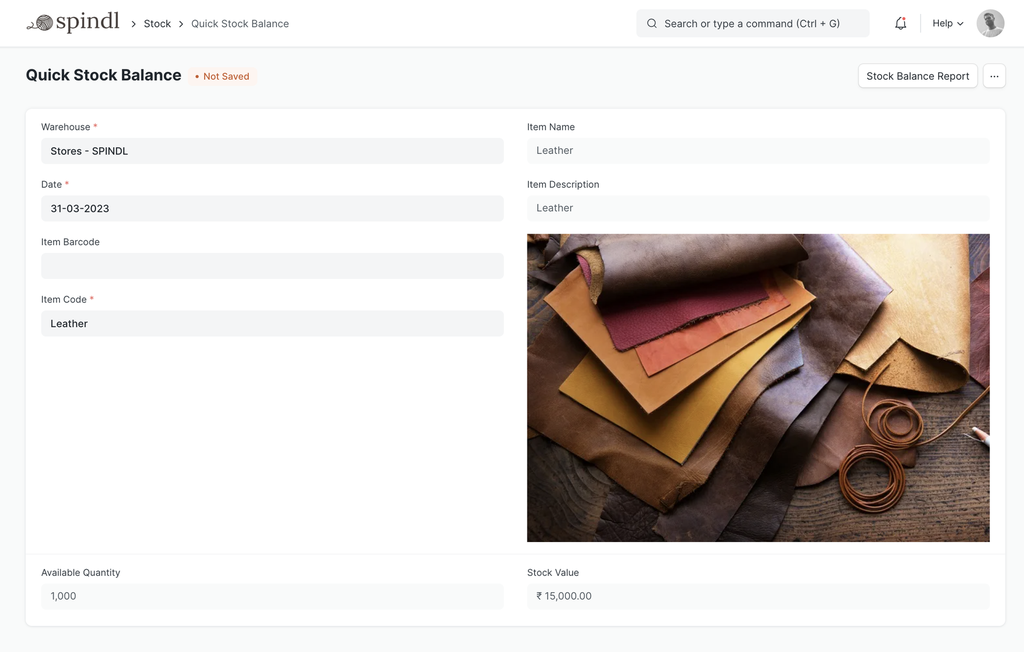
What you hold, where, and what it is worth
Manufacturing
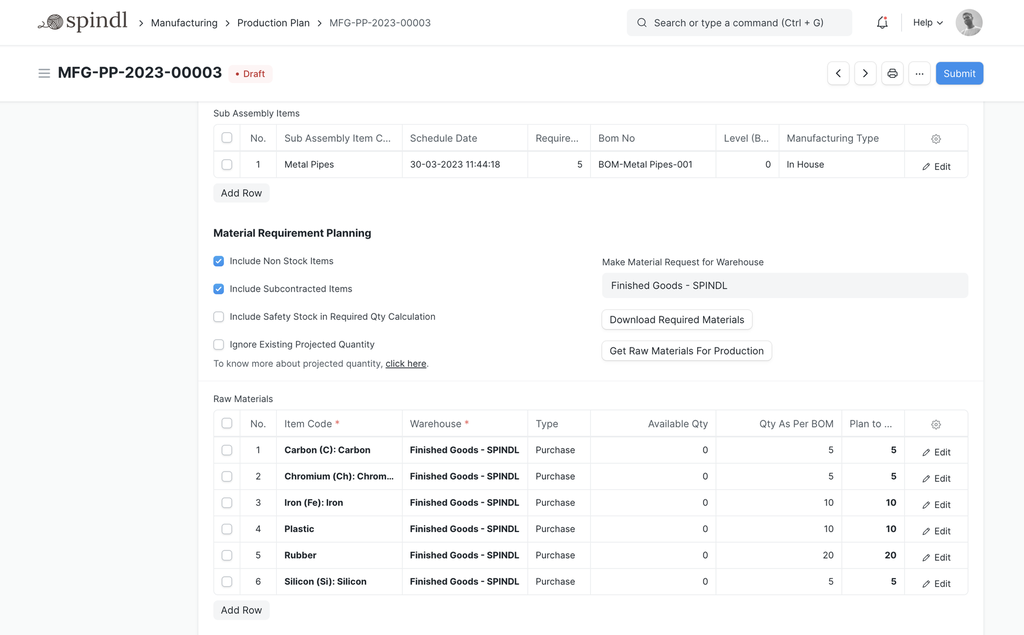
BOMs, production plans and work orders
Projects
Tasks, timesheets and project costing
HR and payroll
Attendance, leave and payroll with Frappe HR
Assets
Register, depreciation and maintenance
What’s slowing your business down?
Pick the one closest to yours and see what ERPNext already does, what we’d configure or customize, and where automation helps.
The problem
Too much manual work
ERPNext already does
Workflows, Auto Repeat, Assignment Rules and email Notifications take routine steps off people’s desks.
Configure
Naming series, default values, item and party templates, and user defaults, so fewer fields are filled in by hand.
Customize
Approval workflows, fields that fill themselves, and validations that stop errors at the point of entry.
Build
Scheduled jobs, bulk-action tools and integrations that remove re-keying between systems.
Integrate
Connections to the other tools the team uses, so data entered once reaches everywhere it is needed.
Automate
Notifications, recurring documents, assignment rules and scheduled reports that run without anyone starting them.
The problem
Inventory is difficult to track
ERPNext already does
A stock ledger across multiple warehouses, batch and serial numbers, reorder levels and a live stock balance for every item.
Configure
Warehouses, units of measure, the valuation method, batch and serial rules, and reorder levels for each item.
Customize
Barcode label print formats, warehouse-specific fields and approval steps for stock adjustments.
Build
Scanning tools for the warehouse floor, custom stock reports and connections to e-commerce or logistics systems.
Integrate
Barcode scanners, online stores and logistics providers, so stock movements are recorded where they happen.
Automate
Material requests raised at reorder levels, and stock and expiry reports sent on a schedule.
The problem
Sales are scattered
ERPNext already does
Leads, opportunities, quotations and sales orders in one pipeline, linked to customers, stock and invoicing.
Configure
Lead sources, sales stages, territories, price lists and pricing rules.
Customize
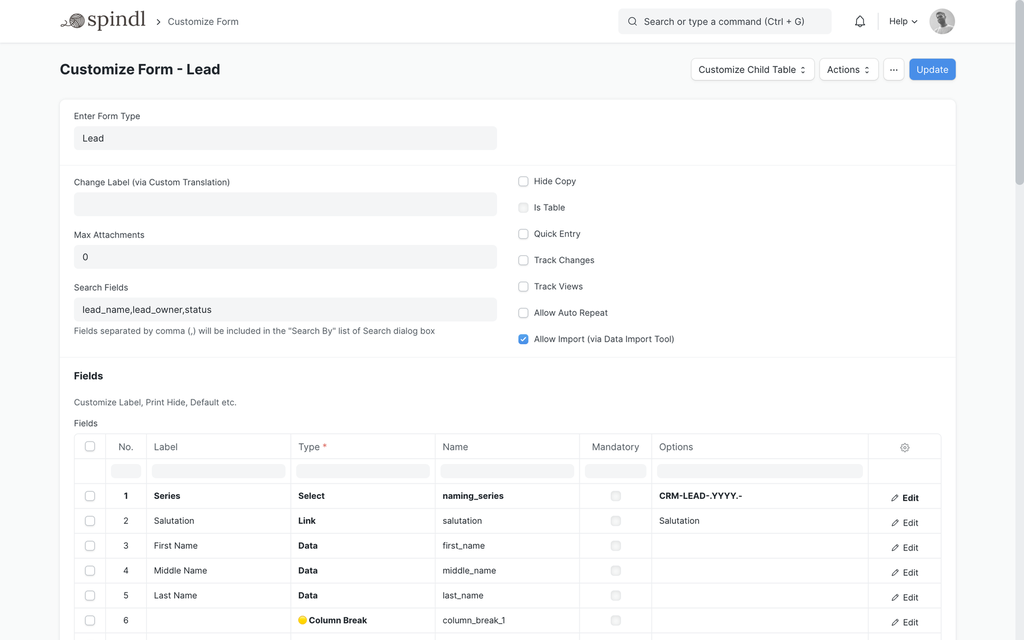
Custom lead fields and sources, quotation print formats, and approval rules for discounts.
Build
Integrations with website forms, email or messaging channels, so enquiries become leads automatically.
Integrate
Website forms, email and messaging channels, so enquiries arrive in ERPNext as leads.
Automate
Lead assignment, follow-up reminders and order notifications.
The problem
Accounting is disconnected
ERPNext already does
Sales, purchases and stock post to the same general ledger, with bank reconciliation and financial statements built in.
Configure
The chart of accounts, taxes, cost centers, payment terms and fiscal years.
Customize
Accounting dimensions, cost centers and report layouts set up the way your business reads its numbers.
Build
Integrations with banks, payment gateways or other finance systems, and custom financial reports.
Integrate
Banks, payment gateways and tax portals, so statements and payments don’t have to be keyed in.
Automate
Recurring invoices, payment reminders and statements of account sent on a schedule.
The problem
Manufacturing is difficult to manage
ERPNext already does
Bills of materials, work orders, job cards, production planning and subcontracting, linked to stock and costing.
Configure
Bills of materials, workstations, operations and manufacturing settings.
Customize
Quality inspection templates, custom fields on work orders and print formats for the shop floor.
Build
Shop-floor screens, machine or device integrations and custom production dashboards.
Integrate
Machines, shop-floor devices and barcode scanning at each stage of production.
Automate
Material requests raised from production plans, and alerts when work orders fall behind.
The problem
HR and payroll are manual
ERPNext already does
With Frappe HR alongside ERPNext: employee records, attendance, leave, salary structures and payroll that posts to accounting.
Configure
Holiday lists, leave types and policies, shifts, and salary components and structures.
Customize
Leave policies, approval workflows and salary slip formats that match your rules.
Build
Attendance-device integrations and custom HR and payroll reports.
Integrate
Attendance devices and bank payment files.
Automate
Leave allocations, approval notifications and salary slips emailed to employees.
The problem
Systems don’t communicate
ERPNext already does
A REST API and webhooks for every document type, so other systems can read and write ERPNext data.
Configure
Frappe’s ready-made integrations, such as email accounts and Google Calendar and Contacts, where they fit.
Customize
Webhook rules, API users with the right permissions, and fields that store references from other systems.
Build
Integration apps that keep ERPNext and your other systems in sync, with errors logged for follow-up.
Integrate
The REST API, webhooks or scheduled sync, chosen for each flow of data.
Automate
Sync jobs that run on a schedule, with failures logged and retried.
The problem
Current software can’t scale
ERPNext already does
Multiple companies, currencies and warehouses in one system, with role-based permissions for growing teams.
Configure
Companies, branches, warehouses, roles and permissions set up for how the business is organized today.
Customize
Roles, permissions, naming series and workflows adjusted as departments and branches are added.
Build
Data migration from your current system, and custom apps for processes your old software handled differently.
Integrate
The systems that keep running alongside ERPNext, connected rather than replaced.
Automate
Routine steps that grew with the business, handed to workflows and scheduled jobs.
The problem
Need something ERPNext doesn’t provide
ERPNext already does
Much of what looks missing is a setting or an existing module. The first step is checking what standard ERPNext already covers.
Configure
Settings and masters that switch on standard features you may not know about.
Customize
Custom fields, DocTypes, forms and print formats that extend ERPNext without changing its core.
Build
A separate Frappe app with its own DocTypes, workflows and screens, installed alongside ERPNext and upgraded with it.
Integrate
APIs that connect the new app to ERPNext and to your other systems.
Automate
Rules and scheduled jobs inside the new app.
Where we do most of our work
ERPNext is general-purpose. What changes between industries is the process, and that’s where we spend our time.
Manufacturing
We have helped manufacturing SMEs adopt ERPNext. Its manufacturing module connects production to stock, buying and costing, so a work order, the material it consumes and its cost are records in one system.
- Multi-level bills of materials with operations and costing
- Work orders and job cards, from material issue to finished goods
- Production planning from sales orders and material requests
Trading and distribution
We have helped trading SMEs adopt ERPNext. Buying, selling and stock share one database, so margins, stock and dues are visible together.
- Multi-warehouse stock with batches, serial numbers and barcodes
- Price lists, pricing rules, discounts and credit limits
- Procure-to-pay and order-to-cash in one flow
Healthcare
Hospitals, clinics and other medical institutions can run on the Frappe platform with the open-source healthcare app, using ERPNext for accounting, stock and purchasing and Frappe HR for staff.
- Patients, appointments and encounters
- Billing linked to accounting
- Pharmacy and medical stock with batches and expiry dates
How an implementation runs
Nine stages, each with a clear outcome. Larger implementations go through them more than once, one phase or group of modules at a time.
Discovery
We learn how the business runs: its companies and branches, the teams involved, the documents they handle and what has to change.Outcome: Agreed goals and the scope of the first phase.Business process mapping
Each process in scope is mapped as it happens today, step by step, including the spreadsheets and workarounds around it.Outcome: A process map for each area, reviewed with the people who do the work.Solution design
For every step we decide what standard ERPNext covers, what needs configuration or customization, and what, if anything, has to be built.Outcome: A design that separates standard, customized and custom-built.Configuration
We set up the company, chart of accounts, taxes, warehouses, item and party masters, naming series, roles and permissions.Outcome: A working ERPNext system with your structure.Customization
Where the standard forms and documents need to fit, we add custom fields, print formats, workflows, validations and reports.Outcome: Customizations kept in a versioned app, separate from ERPNext’s own code.Data migration
Where it appliesWhere you have data in another system, we move it across: customers, suppliers, items, opening stock and account balances, checked against the source before go-live.Outcome: Opening data in ERPNext that reconciles with your old system.Testing
Each process is run end to end with realistic data, then your team runs its own scenarios in user acceptance testing (UAT).Outcome: Sign-off from the people who will use the system.Training
Teams are trained module by module on their own processes, in workshops that use your company’s data.Outcome: People who know how to do their own work in ERPNext.Go-live and support
We move to live use in planned phases, then stay available to fix, refine and extend the system as the business changes.Outcome: A live system, with support after go-live.
Standard ERPNext first. Custom only where it earns its place.
- If ERPNext already does it, we implement it.
- If it can be adapted, we customize it.
- If it doesn’t exist, we build it as a separate Frappe app.
- Every change is tested on a copy before it goes live.
4consultants on the team
40 yrsof combined experience
5+businesses live on ERPNext
2024started with ERPNext
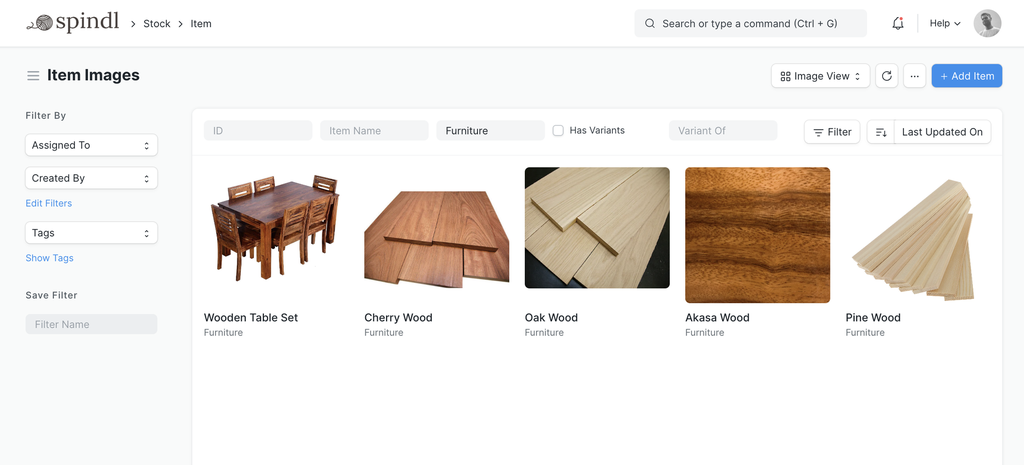
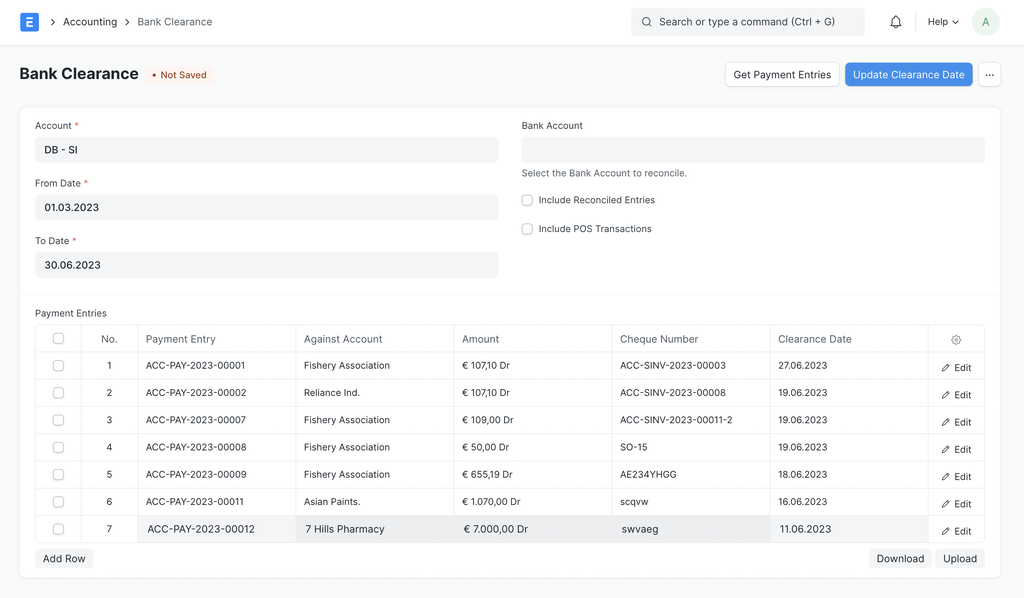
The screens your team will use every day
Real ERPNext screens, not mock-ups. Scroll sideways to look around.
What clients have said
Smurik made our ERPNext go-live smooth. We saved 50% time on reporting.
Excellent support and training. Our team was confident in 3 weeks.
They customized ERPNext exactly for our industry needs.
Guides and comparisons
What is an ERP Solution?
A short introduction to ERP (enterprise resource planning): integrated modules for every department, less duplicate data entry and one view of the business.
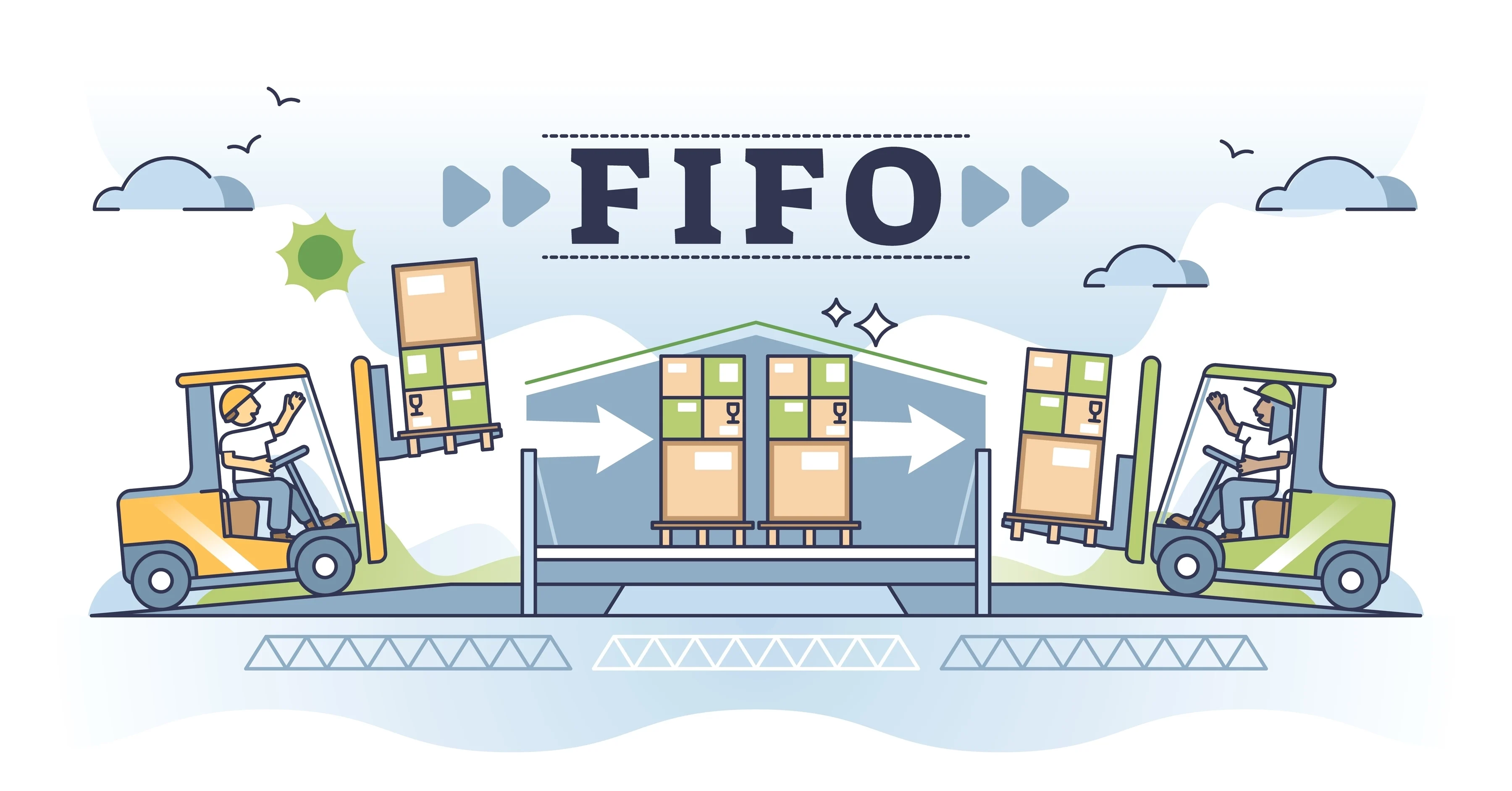
How FIFO and Moving Average valuation works
How ERPNext values stock with FIFO and moving average, explained step by step with worked purchase and sale examples.

ERPNext vs Odoo
A practical comparison of ERPNext and Odoo from an ERPNext implementer: open-source scope, licensing, pricing and how far each can be customized.
Tell us how your business runs. We’ll show you what ERPNext can do.
What’s standard, what needs customizing and what would need to be built, before you commit to anything.