
Automate the routine work in ERPNext
Reminders, follow-ups, approvals and recurring entries shouldn’t depend on someone remembering them. We use ERPNext’s built-in automation first, and write custom automation only where it stops.
What ERPNext automates without custom code
Much of what businesses ask for is a setting away. We configure these first.
Workflows
Approvals
States and transitions on any document, with who can act at each step.
Example Discounts above a limit need a manager’s approval.
Notifications
Alerts and reminders
Emails or system alerts when a document is created or changes, or when a date is near.
Example Remind customers before an invoice falls due.
Auto Repeat
Recurring documents
Documents created automatically on a schedule.
Example A monthly service invoice.
Assignment rules
Who picks it up
New documents assigned to people automatically, in turn or by criteria.
Example New leads shared across the sales team.
Auto email reports
Reports that arrive by themselves
Any report emailed to chosen people daily, weekly or monthly.
Example Yesterday’s sales in managers’ inboxes each morning.
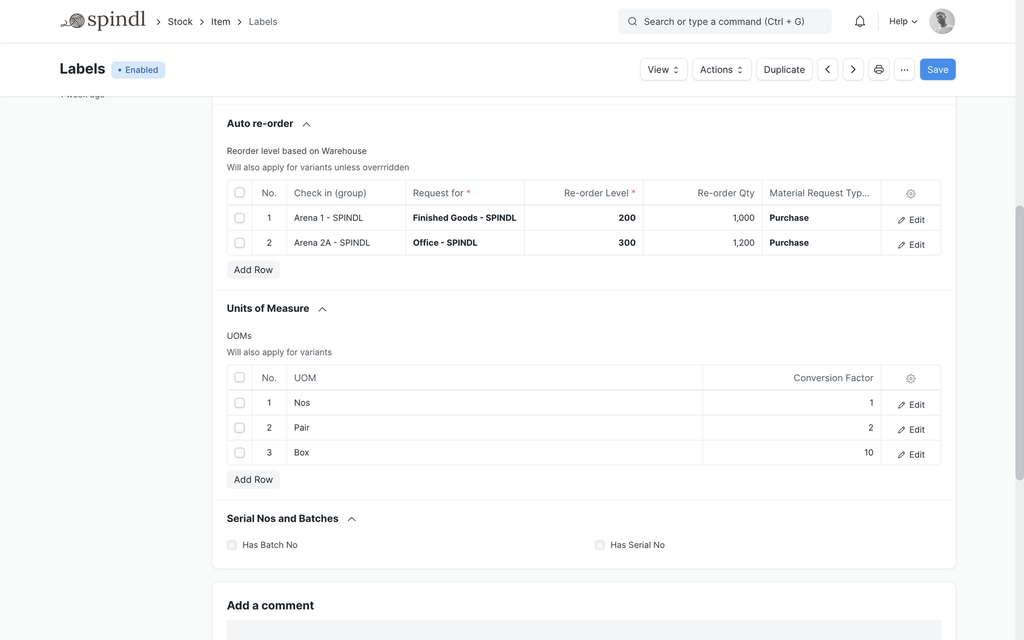
Stock reordering
Replenishment
Material requests raised automatically when stock falls below its reorder level.
Example Fast-moving items replenished without a manual check.
When built-in automation isn’t enough
Some rules are too specific for a setting. We build those in your custom app, where they are versioned, tested and released like the rest of the system.
Scheduled jobs
Code that runs hourly, daily or on any schedule: syncing, clean-up, or reminders with conditions too complex for a notification.
Document rules
Server-side logic when a document is saved or submitted: validations, calculated values, or creating the next document automatically.
Background jobs
Long-running work, such as bulk updates or large imports, moved out of the user’s way.
Automation across systems
Steps that span ERPNext and other software, such as creating a sales order when an online payment succeeds.
Automation people can trust
Four rules we follow when handing work to the system.
Find the manual step
We look for work people repeat, reminders they keep, and places where things wait for someone.
Use the lightest tool
A notification before a workflow; a workflow before code.
Keep people in the loop
Automation handles the routine. Decisions that need judgement still go to a person, with the information they need.
Make it visible
Automated actions leave a trail on the document, and failures are logged for follow-up.
Common questions
Do we need custom code to automate ERPNext?
Often not. Workflows, notifications, Auto Repeat, assignment rules and scheduled reports are configured, not coded. Custom code is for the rules they can’t express.
What happens if an automated job fails?
Failures are recorded in ERPNext’s error log, and important automation is designed to alert someone rather than fail silently.
Can automation be switched off?
Yes. Notifications, Auto Repeat and assignment rules can be disabled from their own settings, and scheduled jobs can be paused by an administrator.
Which routine work would you hand over?
Tell us the reminders, approvals and repeated entries your team handles by hand. We’ll show what ERPNext can automate and what would need to be built.